Managing content across multiple organizations can become more complex as your Driftscape setup grows. The POI Movement Feature helps you reorganize existing Places of Interest (POIs) by moving them from one organization to another that you manage within the CMS. This is especially useful when restructuring content, creating sub-organizations, or updating your account setup after a plan upgrade. Instead of recreating POIs manually, you can quickly relocate them to keep your content organized and aligned with your current structure.
What is the POI Movement Feature?
The POI Movement Feature allows Driftscape Administrators/Managers to move POIs from one organization to another organization they manage within the Driftscape CMS.
This feature is especially valuable for customers who are reorganizing content across multiple organizations, splitting content into sub-organizations, or consolidating content back into a parent organization. It helps save time, reduces duplicate work, and makes it easier to maintain a clean and scalable content structure as your use of Driftscape evolves.
Examples of Use Cases for the POI Movement Feature
The POI Movement Feature can support a variety of content management needs, especially for organizations that are growing, restructuring, or refining how their content is organized in Driftscape.
Use Case 1: Splitting Content into Sub-Organization
An organization may begin with all of its POIs housed under one main organization, then later decide to break content into separate sub-organizations. For example, a tourism group may want to separate attractions, events, and partner content into different organizational structures for easier management. The POI Movement Feature makes it possible to move existing content into those new sub-organizations without having to recreate each POI manually.
Use Case 2: Reorganizing Content After a Plan Upgrade
Some customers upgrade their Driftscape plan to gain access to sub-organizations and additional content management flexibility. After upgrading, they may want to redistribute their existing POIs into newly created organizations that better reflect their operational structure. This feature allows them to quickly reorganize their content so their CMS setup matches their updated plan and internal workflow.
Use Case 3: Consolidating Content into a Single Organization
In some cases, customers may want to simplify their setup by moving POIs from multiple organizations back into one central organization. This can be useful when teams are streamlining operations, reducing complexity, or preparing for a new content strategy. The POI Movement Feature supports this process by allowing content to be relocated rather than rebuilt.
Use Case 4: Separating Content by Region, Department or Initiative
Organizations that manage content across multiple regions, internal teams, or campaigns may want to group POIs more intentionally. For example, a municipality might separate tourism POIs from community services, or a regional organization might divide content by city or destination. Moving POIs between managed organizations helps create a clearer content structure that is easier to maintain over time.
Tutorial Video: How to Move POIs Between Organizations
Getting Started: Using the POI Movement Feature
Step 1: Access your Organization’s Content
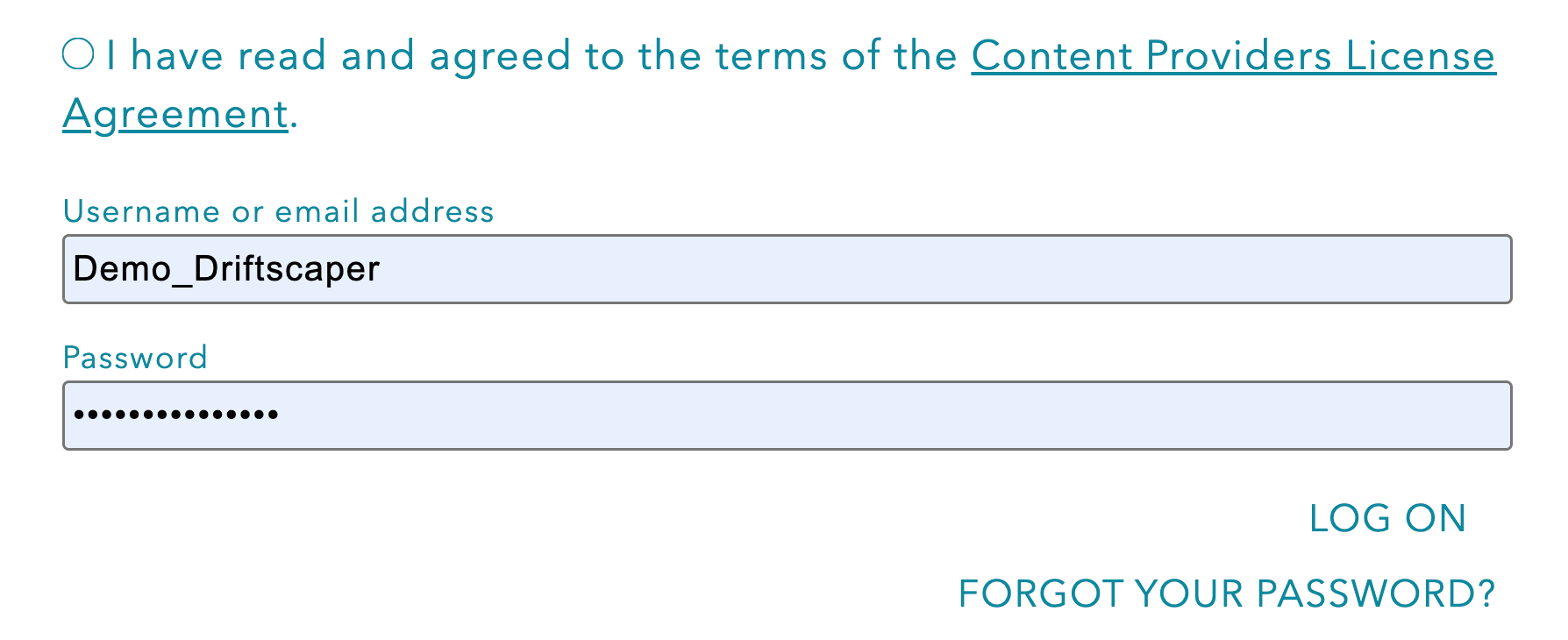
Log into the Driftscape CMS using your login credentials
Select the organization name that contains the content you want to move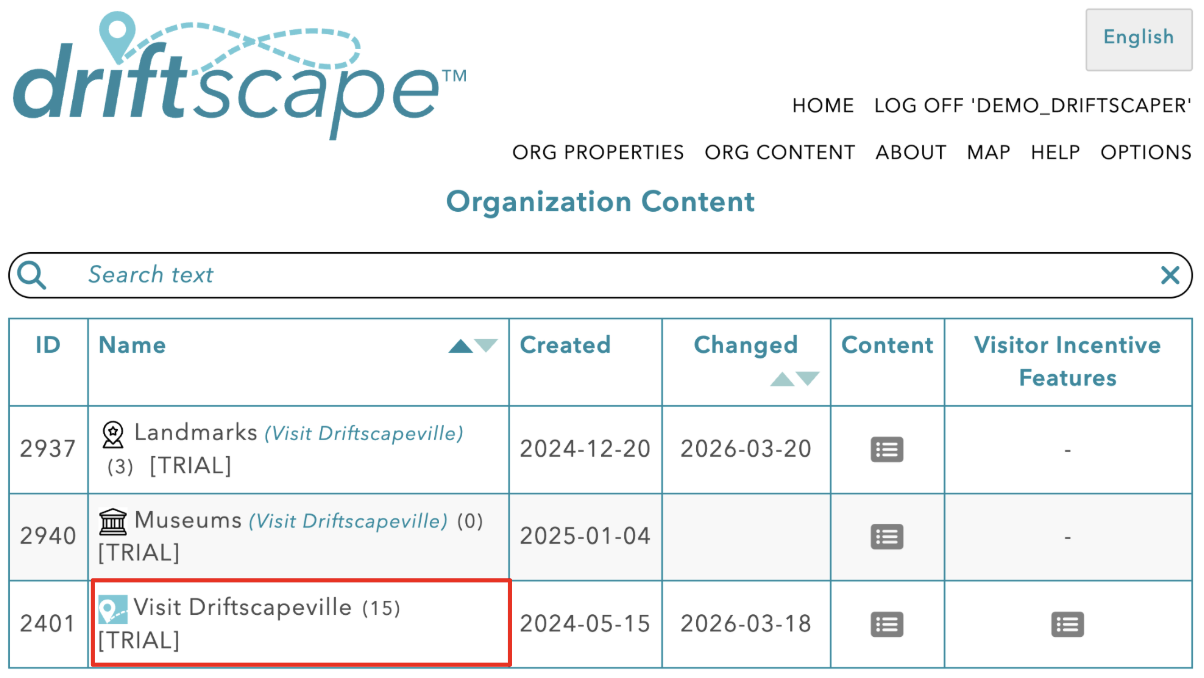
Step 2: Move your POIs
Inside the table of POIs, select the circle to the right of every POI you wish to move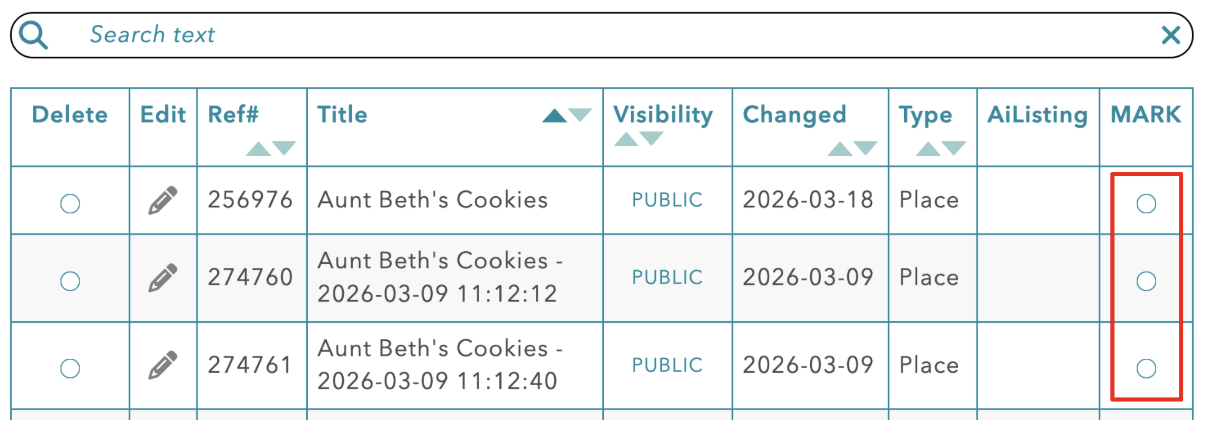
Once you have selected all the POIs you want to move, find the “Other actions” section at the bottom of the page
Use the dropdown menu to select the organization you want to move the selected POIs to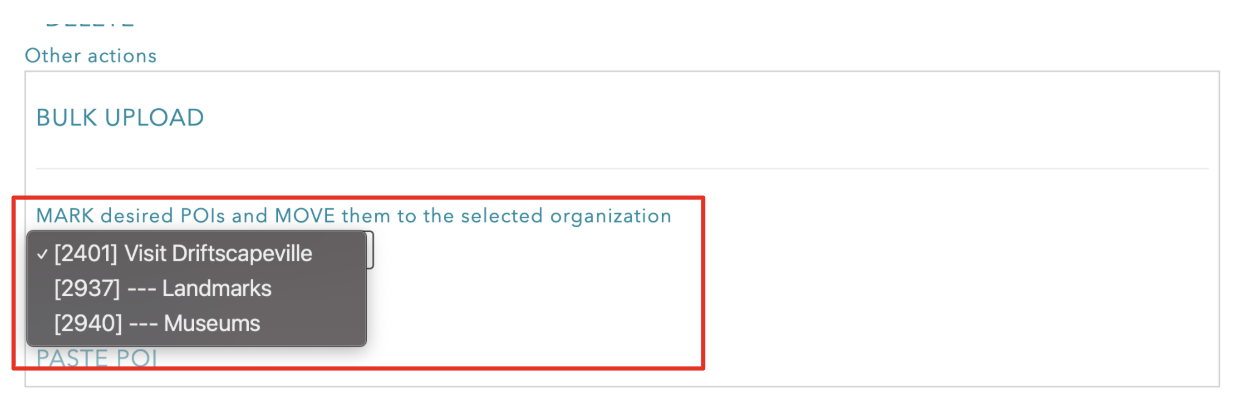
Then choose “MOVE POI(S)” under the dropdown menu
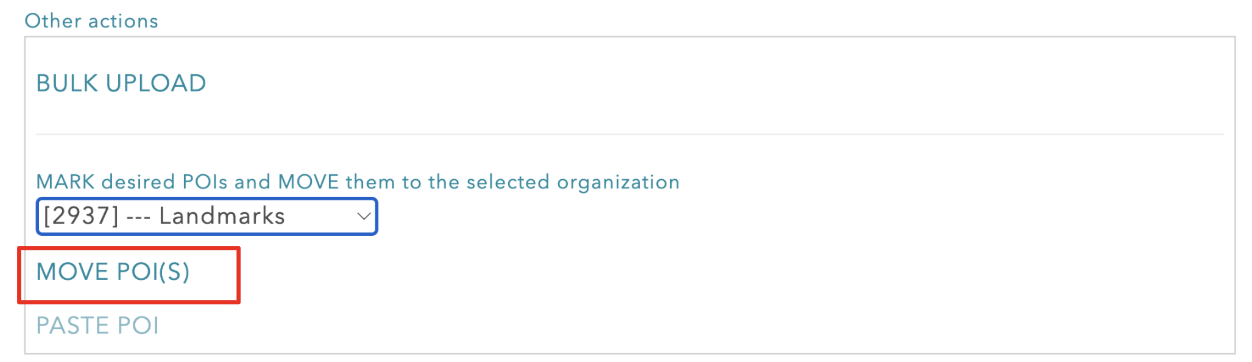
This will move all the selected POIs to the corresponding Organization, chosen in the dropdown menu
Related Articles
Was this article helpful?
That’s Great!
Thank you for your feedback
Sorry! We couldn't be helpful
Thank you for your feedback
Feedback sent
We appreciate your effort and will try to fix the article