TABLE OF CONTENTS
- What is Converting an AiListing into a POI?
- Examples of Use Cases
- Converting AiListings into a POI Tutorial Video
- Get Started: Converting an AiListing into a POI
- Related Articles
Once you have created an AiListing, you can choose to convert it into a regular Place POI in the CMS. You might choose to do this if you want to edit or add functionality that is not compatible with AiListings. This method can also be used as a way to get started quickly with automated content to begin the entry, and then edit it manually to provide more information and customize the content as needed.
Note that once it is converted into a Place POI, you can no longer generate it as an AiListing entry. Converted AiListings also count toward the POI limit on your plan.
What is Converting an AiListing into a POI?
Converting an AiListing into a POI allows you to turn an automatically generated listing into a fully editable POI in the Driftscape CMS.
AiListings are designed to quickly generate business listings using AI and publicly available information. However, once converted to a POI, the entry becomes a standard place POI and can be edited and customized with the full range of POI features.
This is useful when you want to:
Add functionality that is not supported by AiListings
Edit or expand the content beyond the automatically generated data
Customize the description, media, or other details manually
Once the conversion is completed, the listing behaves like any other Place POI in the CMS.
Examples of Use Cases
Use Case 1: Customizing an Automatically Generated Listing
You may start with an AiListing to quickly generate a business entry. After reviewing the listing, you might want to add additional details, media, or formatting. Converting it into a POI allows you to fully edit and customize the content.
Use Case 2: Adding Features Not Supported by AiListings
Some CMS features or integrations are not compatible with AiListings. Converting the listing into a POI allows you to add those additional features and settings.
Converting AiListings into a POI Tutorial Video
Get Started: Converting an AiListing into a POI
In order to convert AiListings, you must have them added to your CMS portal already. To add AiListings, follow AiListings Overview and Implementation.
Step 1: Open the AiListing in the CMS
In the Content view, click on the AiListing title that you want to convert.

Step 2: Select “Convert to POI”
With the AiListing open, click the CONVERT TO POI button.
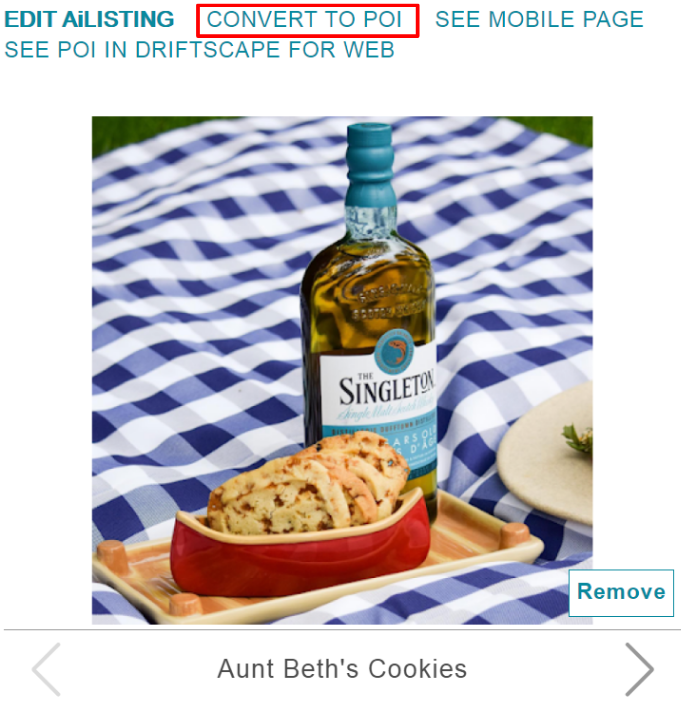
Step 3: Edit the Converted POI
After selecting Convert to POI, the EDIT AiLISTING screen will open.
You can now edit the POI content and media as desired.

Step 4: Finalize the Conversion
Scroll to the bottom of the EDIT AiLISTING page and click UPDATE to finalize the conversion.

Once the update is complete, the AiListing will be converted into a standard Place POI.
Related Articles
AiListings Overview and Implementation
Was this article helpful?
That’s Great!
Thank you for your feedback
Sorry! We couldn't be helpful
Thank you for your feedback
Feedback sent
We appreciate your effort and will try to fix the article